
Nobody agrees on who is actually due
A customer paid yesterday. The list was printed this morning. The call starts on the wrong foot.
Early Access OfferEarly Access availability for new dealerships
Collections
Collections is the daily list of who owes what and what is due next. NetDealer keeps that list on the BHPH account — with history, notes and status — instead of a personal spreadsheet.
Work accounts from balances and due dates the rest of the store already uses when they post a payment.
app.netdealerdms.com/collections
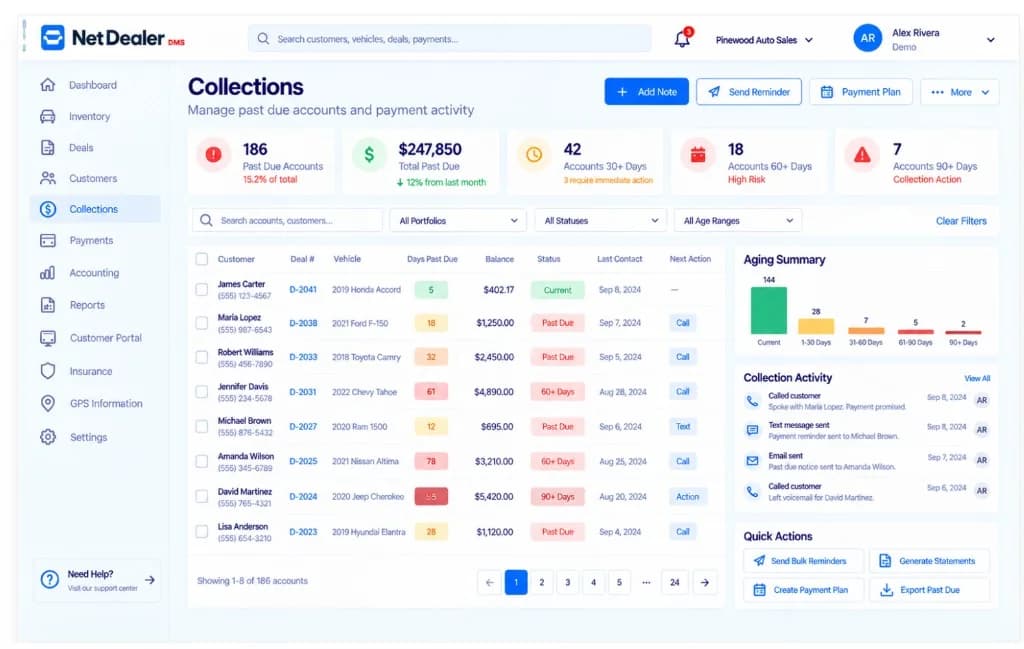
BHPH collections queue with demo past-due accounts. GPS here is device/account information, not a live map.
What collections looks like without a DMS
BHPH collections only works when the person calling has the same balance as the person who took money at the window.
A customer paid yesterday. The list was printed this morning. The call starts on the wrong foot.
If the collector is out, the next person does not know what was promised or already tried.
Aging happens whether you track it or not. Without account status in the DMS, you find out when cash is already short.
Collections in NetDealer
This is BHPH account collections inside the dealer management system — not a generic call-center suite, and not website billing for NetDealer itself.
Work from current balances and due items on the customer account so the day’s list matches the money that already posted.
See which accounts are past due and keep status with the file collections will open next.
Before you call, see what already posted. History belongs next to the balance, not in a separate cash report.
Leave notes on the account so follow-up is a workflow, not a private text thread. Contact history stays with the customer file.
Around the collections desk
Who uses it
Collections is not only a back-room printout. Web and mobile access means a manager can see due accounts without waiting for an export.
Next step
A demo can walk due accounts, history and notes. Get Started is for stores ready to subscribe.
Prefer to talk now? Call (682) 708-9644.
Why BHPH collections belongs in the DMS
If payments post in NetDealer, collections should not start from a different file.
The person working the account and the person taking money should not reconcile at the end of the day to learn the truth.
Insurance, GPS information and notes are useful in collections only if they travel with the account.
NetDealer keeps account notes and contact history so the next person opening the file can see what already happened.
Related
Closely related NetDealer pages — not a dump of every URL on the site.
It is software for working Buy Here Pay Here accounts after the sale: balances, due dates, delinquency, payment history, notes and account status. In NetDealer that work lives in the same DMS as inventory and deals.
Yes. Payment history sits on the customer account so collectors are not calling from a list that ignores what already posted.
No. It keeps the account file current — who owes what, what is due, notes and status — so the person doing the work is not reconstructing the account from paper.
Yes. Account notes stay with the customer file so the next person opening the account can see what already happened.
No. This page is dealer collections on BHPH customer accounts. Website subscription billing for NetDealer is a separate Authorize.Net checkout.
Who owes what, what is due, and what was already paid should not live in three places.
Questions? (682) 708-9644 · contactus@netdealerdms.com